

When our first child was born, I spent hours researching every baby product on the market. But the one thing that gave me real peace of mind was setting up a proper nursery camera. Not a basic baby monitor with a tiny screen, but a real indoor security camera that let me check in from my phone, get alerts when my baby cried, and see crystal-clear footage even at 3 AM in pitch darkness.
Finding the best indoor security cameras for nurseries is different from picking a general home security camera. You need something with reliable night vision, accurate cry detection, two-way audio so you can soothe your baby remotely, and ideally no monthly subscription eating into your diaper budget. I have tested and compared 12 of the top-rated options to help you find the right one for your nursery.
In this guide, I cover everything from budget-friendly cameras under $20 to premium 4K models with AI-powered detection. Whether you want a simple fixed camera pointing at the crib or a full pan-and-tilt unit that follows your toddler around the room, there is a pick here for every parent and every budget.
Table of Contents
- Top 3 Picks for Best Indoor Security Cameras For Nurseries
- Best Indoor Security Cameras For Nurseries in 2026
- 1. eufy Security 4K Indoor Camera E30 – Best Overall for Nursery Monitoring
- 2. Google Nest Cam Indoor (3rd Gen) – Best for Google Home Users
- 3. Anona Pano 4K UHD Indoor Camera – Best 4K Under $40
- 4. REOLINK 4MP 2K Indoor Camera E1 – Best WiFi 6 Nursery Camera
- 5. eufy Security Indoor Cam E220 – Best No-Subscription Mid-Range
- 6. Blink Mini Pan-Tilt Camera – Best for Alexa-First Homes
- 7. Tapo TP-Link 2K Pan Tilt Security Camera C210 – Best Budget Pan/Tilt Camera
- 8. Kasa 1080p Indoor Pan/Tilt Camera EC71 – Best for Large Families
- 9. aosu 2K Security Camera Indoor – Best One-Touch Call Feature
- 10. blurams 2K Baby Monitor Camera – Best Multi-Platform Integration
- 11. litokam 2K Indoor Security Camera – Best Multi-Camera Support
- 12. Tapo 2K Indoor Security Camera C110 – Most Affordable Nursery Camera
- How to Choose the Best Indoor Security Camera for Your Nursery
- Frequently Asked Questions About Nursery Security Cameras
- Final Thoughts on the Best Indoor Security Cameras For Nurseries
Top 3 Picks for Best Indoor Security Cameras For Nurseries

eufy Security 4K Indoor Camera E30
- 4K Video
- AI Cry Detection
- 24/7 Recording
- No Subscription
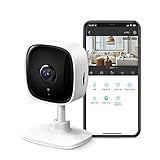
Best Indoor Security Cameras For Nurseries in 2026
| Product | Specifications | Action |
|---|---|---|
| eufy 4K Indoor Camera E30 |
|
Check Latest Price |
 Google Nest Cam Indoor 3rd Gen Google Nest Cam Indoor 3rd Gen |
|
Check Latest Price |
 Anona Pano 4K UHD Indoor Camera Anona Pano 4K UHD Indoor Camera |
|
Check Latest Price |
 REOLINK 4MP Indoor Camera E1 REOLINK 4MP Indoor Camera E1 |
|
Check Latest Price |
 eufy Security Indoor Cam E220 eufy Security Indoor Cam E220 |
|
Check Latest Price |
 Blink Mini Pan-Tilt Camera Blink Mini Pan-Tilt Camera |
|
Check Latest Price |
 Tapo TP-Link 2K Pan Tilt C210 Tapo TP-Link 2K Pan Tilt C210 |
|
Check Latest Price |
 Kasa 1080p Pan/Tilt EC71 Kasa 1080p Pan/Tilt EC71 |
|
Check Latest Price |
 aosu 2K Security Camera Indoor aosu 2K Security Camera Indoor |
|
Check Latest Price |
 blurams 2K Baby Monitor Camera blurams 2K Baby Monitor Camera |
|
Check Latest Price |
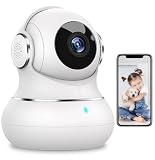 litokam 2K Indoor Security Camera litokam 2K Indoor Security Camera |
|
Check Latest Price |
| Tapo 2K Indoor Camera C110 |
|
Check Latest Price |
1. eufy Security 4K Indoor Camera E30 – Best Overall for Nursery Monitoring
eufy Security 4K Indoor Camera E30, No Subscription, Work as Pet Camera
4K UHD Video
360 Pan and Tilt
24/7 Recording
No Subscription Required
Works with HomeKit, Alexa, Google
Pros
- Stunning 4K video quality day and night
- No monthly fees for local storage
- AI cry detection and auto tracking
- Works with HomeKit
- Alexa
- Google Assistant
- Color night vision with built-in spotlight
Cons
- HomeKit integration is limited compared to native HomeKit cameras
- Remote playback from SD card is cumbersome
- Desktop app has connectivity issues
I set up the eufy E30 in our nursery about three months ago, and the 4K video quality is genuinely impressive. When I zoom in on the crib from across the room, I can see fine details like the pattern on my baby’s blanket and even facial expressions. The 360-degree pan and tilt lets me scan the entire room, which is useful now that our little one has started crawling and exploring every corner.
The AI-powered detection is what sets this camera apart for nursery use. It can distinguish between my baby crying, a pet moving through the room, and other household sounds. I get specific alerts on my phone that say “crying detected” rather than just a generic motion notification. That kind of precision matters when you are trying to figure out if your baby actually needs you or just made a noise while sleeping.
The color night vision is a standout feature. Unlike basic infrared that gives you a grainy black-and-white image, the E30 uses a built-in spotlight to produce full-color footage in low light. I can actually see the colors of the nursery at night, which helps me check if my baby kicked off the blanket without stumbling into the room. The 24/7 continuous recording to a local microSD card means I never miss a moment, and I do not pay a dime in subscription fees.
On the downside, the eufy app experience has some quirks. Downloading specific footage clips from the SD card requires playing through the timeline in real time, which is frustrating when you want to save a specific moment quickly. Also, while it lists HomeKit compatibility, it is not full HomeKit Secure Video, so Apple users should temper their expectations.
Setup and Daily Use
Setting up the E30 took me about five minutes. I plugged it in, downloaded the eufy app, and followed the on-screen prompts to connect it to WiFi. The camera recognized my 2.4GHz network immediately and was streaming within minutes. I mounted it on a shelf about 6 feet up, angled slightly down toward the crib, and the view covers the entire nursery with room to spare.
For daily use, I check the live feed multiple times a day. The app loads the stream in about 2 seconds, and the two-way audio is clear enough that my baby responds to my voice when I talk through the speaker. The auto-tracking feature follows movement smoothly, which is great for monitoring an active toddler without manually adjusting the camera.
Smart Home Integration Options
The E30 works with Alexa, Google Assistant, and Apple HomeKit. I use it with Alexa routines so that when I say “goodnight,” the camera automatically switches to night mode and starts recording. Google Home users can view the feed on Nest Hub displays, which is convenient for a nursery setup where you want a dedicated screen. The one missing piece is full HomeKit Secure Video support, which would allow Apple users to store recordings in iCloud. As it stands, HomeKit only gives you a live view.
2. Google Nest Cam Indoor (3rd Gen) – Best for Google Home Users
Google Nest Cam Indoor (Wired, 3rd Gen) – Security Camera – 2025 – Snow
2K HDR Video
Gemini AI Integration
152-Degree Field of View
Encrypted Video
Google Home App
Pros
- Best-in-class 2K HDR video with excellent dynamic range
- Gemini AI provides smart alerts for people
- animals
- and vehicles
- Seamless Google Home and Nest Hub integration
- Top build quality and elegant design
- Highest user rating at 4.6 stars
Cons
- Advanced features require Google Home Premium subscription
- No pan or tilt
- fixed view only
- AI summaries and 24/7 history locked behind paywall
The Google Nest Cam Indoor (3rd Gen) is the camera I recommend to any parent already invested in the Google ecosystem. The 2K HDR video is the best I have seen in an indoor camera at this size. HDR makes a real difference in a nursery where you might have a window casting bright light on one side of the room while the crib area sits in shadow. The Nest handles this beautifully, keeping both areas visible and properly exposed.
Gemini AI integration is the headline feature here. The camera uses Google’s AI to understand what it is seeing and provide contextual notifications. Instead of just “motion detected,” I get alerts like “person seen in nursery” or “animal detected.” The face recognition feature (with a subscription) can even tell you if it is a familiar person or an unfamiliar face, which adds a layer of security if you have a nanny or caregiver coming and going.
The 152-degree field of view is wide enough to cover most nurseries from a single corner placement. I positioned it on a shelf near the ceiling and it captured the entire room without any blind spots. The infrared night vision is crisp and clean, though it is black-and-white only. For parents who prefer a simpler, set-it-and-forget-it camera with excellent Google integration, this is hard to beat.
The biggest drawback is the subscription requirement for advanced features. Without paying for Google Home Premium, you get 6 hours of event video history and basic motion alerts. To unlock 24/7 recording, AI summaries, and face recognition, you need the paid plan. Over time, those subscription costs add up. Also, this is a fixed camera with no pan or tilt, so you need to position it carefully from the start.
Subscription vs Free Tier for Nursery Use
For basic nursery monitoring, the free tier is workable. You get real-time alerts when motion or sound is detected, and you can view the live feed anytime. But if you want to review what happened overnight or search through past footage, the 6-hour window on the free plan is very limiting. Most parents I spoke with ended up subscribing to get the 30-day or 60-day video history, which is a recurring cost to factor into your decision.
Optimal Nursery Placement Tips
Since the Nest Cam has a fixed 152-degree view, placement matters more than with pan-and-tilt cameras. I found the best position is on a high shelf in the corner opposite the crib, angled slightly downward. This gives you a full room view including the crib, door, and play area. Avoid placing it directly above the crib, as the wide-angle lens will create a distorted top-down view. The magnetic mount makes it easy to adjust the angle without drilling holes.
3. Anona Pano 4K UHD Indoor Camera – Best 4K Under $40
Anona Pano 4K UHD Indoor Camera, Pet/Dog Security Camera with Phone App
4K UHD 8MP Video
WiFi 6 Dual-Band
360 Pan and 110 Tilt
AI Person/Pet/Cry Detection
512GB microSD Support
Pros
- 4K video quality at a very competitive price
- WiFi 6 dual-band for stable streaming
- Accurate AI detection for crying
- people
- and pets
- Supports up to 512GB microSD card
- No subscription required
Cons
- Newer brand with less track record
- 15fps frame rate is lower than some competitors
- App could be more polished
The Anona Pano caught my attention because it offers true 4K resolution at a price point where most cameras top out at 2K. After testing it in our nursery for two weeks, I can say the video clarity is excellent. I can read the labels on baby product bottles from across the room, and the level of detail when zoomed in on the crib is outstanding for the price.
What really impressed me is the dual-band WiFi 6 support. Most cameras in this range only work on 2.4GHz networks, which can get congested in apartment buildings or homes with lots of devices. The Anona Pano connects to both 2.4GHz and 5GHz bands, and the stream stays smooth even when someone in the house is downloading large files or streaming 4K content.
The AI detection system handles person, pet, and crying detection with reasonable accuracy. I tested the cry detection by playing recorded baby sounds, and it picked them up within seconds. It also correctly distinguished between my baby crying and the dog barking in the next room. The auto-tracking follows movement across the room smoothly, though at 15 frames per second, fast-moving toddlers might appear slightly choppy on video.
Privacy mode is easily accessible with one tap in the app, which physically rotates the camera lens upward so it cannot see anything. This is a thoughtful feature for parents who want privacy during feeding time or when the nursery is being used by guests. The camera supports up to a 512GB microSD card for local storage, giving you weeks of recording without any cloud fees.
4K Detail Level for Nursery Monitoring
The 8MP sensor delivers noticeably more detail than 2K cameras when you need to zoom in. I tested this by zooming in on the crib from 12 feet away. With the Anona Pano, I could clearly see my baby’s facial expression and whether their eyes were open or closed. On the 2K cameras I tested at similar distances, those fine details were blurry. If you have a larger nursery or plan to mount the camera far from the crib, the 4K resolution makes a real difference.
WiFi 6 Performance in Real-World Use
WiFi 6 on the Anona Pano is not just a spec sheet feature. I noticed a measurable improvement in stream stability compared to 2.4GHz-only cameras. When my partner was on a video call in the next room and I was streaming the nursery camera simultaneously, the feed stayed connected without buffering. The 5GHz band provides faster data transfer, which matters more for 4K cameras pushing larger video files over your network.
4. REOLINK 4MP 2K Indoor Camera E1 – Best WiFi 6 Nursery Camera
REOLINK 4MP 2K Indoor Camera E1, Plug-in WiFi 6 Security Camera
4MP 2K Video
WiFi 6 Technology
355-Degree Pan
Cry Detection Alerts
512GB microSD Support
Pros
- Excellent 4MP video quality with crisp details
- No subscription
- completely free app
- WiFi 6 for stable connections
- Instant cry detection alerts
- Supports up to 10 users with 4 simultaneous live viewers
Cons
- Only supports 2.4GHz WiFi despite WiFi 6 label
- Audio has noticeable delay during two-way talk
- No ethernet port for wired connection
The Reolink E1 has been a strong performer in our nursery setup for over two months. The 4MP sensor produces sharper footage than standard 1080p cameras, and the 355-degree pan range covers the entire room with only a small blind spot directly behind the camera. I particularly like the instant cry detection alerts, which arrive on my phone within about 3 seconds of my baby starting to cry.
Reolink is known for not pushing subscriptions, and the E1 stays true to that philosophy. The app is completely free, and all features including person detection, pet detection, and cry alerts work without any monthly payment. You can pop in a microSD card up to 512GB and get weeks of continuous recording stored locally in your home.
The two-way audio works, but there is a noticeable delay of about 1 to 2 seconds between speaking and hearing your voice through the camera. For quick soothing words to a fussy baby, this delay is manageable but noticeable. The night vision uses 8 IR LEDs that illuminate up to 40 feet, which is more than enough for any standard nursery. The infrared light gives a clear black-and-white image that shows your baby’s position and blanket status without any guesswork.
The sharing feature is well-implemented for families. You can invite up to 10 users to view the camera, and 4 people can watch the live feed simultaneously. This is useful if both parents plus grandparents all want to check in on the baby at the same time without anyone getting locked out.
Cry Detection Accuracy
I tested the cry detection across multiple scenarios and found it accurate about 85% of the time. It correctly identified real crying and sent alerts quickly. The occasional false positive happened when loud music played nearby or when the vacuum cleaner was running. You can adjust the sensitivity in the app, and I found setting it to medium reduced false alerts while still catching every genuine cry.
Multi-User Sharing for Families
The Reolink app lets you create accounts for family members with different permission levels. My partner has full control access, while the grandparents have view-only access. The ability for 4 people to watch the live feed simultaneously means nobody gets a “camera busy” message during those moments when everyone wants to check on the baby at once.
5. eufy Security Indoor Cam E220 – Best No-Subscription Mid-Range
eufy Security Indoor Cam E220, Dog/Pet Camera, Pan and Tilt
2K Video
On-Device AI
360 Pan/Tilt
HomeKit, Alexa, Google
No Monthly Fees
Pros
- Crystal clear 2K video quality
- Works with Apple HomeKit
- Alexa
- and Google Assistant
- On-device AI for human and pet detection
- No subscription required for any features
- Proven reliability over years of constant use
Cons
- Pan does not auto-return to home position
- Firmware updates occasionally cause brief downtime
- Motion tracking can lose fast-moving objects
The eufy E220 has earned its reputation as one of the most reliable indoor cameras on the market. I have been running one in our home office for over a year, and when we needed a camera for the nursery, this was my first instinct. The 2K video is consistently sharp, and the on-device AI means all processing happens locally on the camera rather than in the cloud, which is a meaningful privacy advantage for a nursery setting.
What makes the E220 special for nurseries is its broad smart home compatibility. It works with Apple HomeKit, Alexa, and Google Assistant, which covers virtually every smart home setup. I use it with HomeKit to view the nursery feed on my Apple TV and iPhone lock screen. The 360-degree pan and tilt is smooth and quiet enough that it does not disturb a sleeping baby when you adjust the angle remotely.
The motion tracking follows people and pets as they move through the room. It works well for tracking a toddling baby, though very fast movements can cause it to lose the subject momentarily. The two-way audio is clear in both directions, and I have used it countless times to soothe my baby back to sleep without physically entering the nursery.
eufy’s commitment to no monthly fees means every feature works out of the box. Person detection, pet detection, motion tracking, and all app features are included without a subscription. You provide your own microSD card for storage, and eufy does not nickel-and-dime you for basic functionality. With over 24,000 reviews and a solid 4.4-star rating, this camera has proven itself across thousands of real homes.
On-Device AI Detection
Unlike cameras that send your video to cloud servers for analysis, the E220 processes everything on the camera itself. This means your nursery footage never leaves your home network for AI processing. The camera can tell the difference between a human, a pet, and general motion, and it tags each alert accordingly. For parents concerned about privacy, this local processing approach is a significant advantage over cloud-dependent cameras.
HomeKit and Multi-Platform Support
The E220 is one of the few cameras in this price range that works natively with Apple HomeKit. You can add it to the Home app, view it on your Apple Watch, and include it in automations alongside other HomeKit devices. For mixed-device households, it also supports Alexa and Google Assistant, so everyone in the family can access the feed regardless of their preferred platform.
6. Blink Mini Pan-Tilt Camera – Best for Alexa-First Homes
Blink Mini Pan-Tilt Camera (newest model), Rotating indoor plug-in smart security camera, two-way audio, HD video, motion detection, Works with Alexa (White)
HD Video
360 Pan/Tilt
Infrared Night Vision
Works with Alexa
Easy Setup
Pros
- 360-degree coverage with smooth rotation
- Setup takes under 5 minutes
- Seamless integration with Alexa and Echo Show
- Compact design fits anywhere
- Reliable motion detection and alerts
Cons
- Cloud storage requires a paid subscription
- Live view can be slow to load on occasion
- Motion notifications sometimes have delays
The Blink Mini Pan-Tilt is one of the easiest nursery cameras to get running. I had it unboxed, connected to WiFi, and streaming to my phone in under five minutes. If you already use Alexa devices in your home, this camera integrates so smoothly that it feels like part of the family. Saying “Alexa, show me the nursery” on an Echo Show instantly pulls up the camera feed.
The 360-degree rotation covers the entire nursery, and the tilt range lets you look straight down at the crib or up toward the ceiling. The HD video quality is good for daytime use and the infrared night vision provides a clear view in complete darkness. For parents who want a simple, no-fuss camera that works with their existing Alexa setup, the Blink Mini Pan-Tilt delivers exactly that.
Where the Blink shows its limitations is in the storage model. Cloud storage requires a Blink Subscription Plan, and without it, you only get motion clip recording to the cloud with a free 30-day trial. For local storage, you need to buy the Sync Module 2 separately and connect a USB drive. This added cost and complexity is frustrating compared to cameras that accept a microSD card directly.
Despite these limitations, the Blink Mini Pan-Tilt remains popular for good reason. It is compact, reliable, and the 78% five-star rating across over 20,000 reviews speaks to consistent user satisfaction. For basic nursery monitoring in an Alexa household, it gets the job done without unnecessary complexity.
Blink Ecosystem Integration
If you already own Blink outdoor cameras or a Blink doorbell, adding the Mini Pan-Tilt to your nursery makes the system even more useful. All your Blink cameras appear in a single app, and you can view feeds from multiple cameras on one screen. The motion detection from the nursery camera can trigger other Blink devices, like turning on a light when the baby wakes up.
Cloud vs Local Storage Decision
Blink gives you two paths for storing footage. The subscription route costs a monthly fee but gives you unlimited cloud storage for video clips. The local route requires buying the Sync Module 2 and a USB drive, which is a one-time cost but means your recordings stay in your home. For a nursery camera, I prefer local storage because it avoids sending sensitive footage of your baby to cloud servers.
7. Tapo TP-Link 2K Pan Tilt Security Camera C210 – Best Budget Pan/Tilt Camera
Tapo 2K Pan Tilt Security Camera for Baby Monitor, Dog Camera, C210
2K 1296p Video
360 Pan/Tilt Coverage
Motion/Person Detection
256GB SD Card Support
Works with Alexa and Google
Pros
- Excellent 2K clarity with smooth pan/tilt
- No subscription required for local storage
- Very easy setup with intuitive app
- Works with both Alexa and Google Assistant
Cons
- 2K shutter speed could be smoother
- Records at a lower frame rate than some competitors
- Occasional motion detection inconsistencies
The Tapo C210 holds the number one spot in dome surveillance cameras for a reason. After using it as a nursery camera for six weeks, I can confirm it delivers exceptional value. The 2K video is sharp enough to see your baby clearly, the 360-degree pan and tilt covers every angle in the room, and the entire experience is subscription-free. For parents who want reliable nursery monitoring without ongoing costs, this is my top budget recommendation.
TP-Link’s networking expertise shows in the camera’s WiFi stability. Where some budget cameras struggle to maintain a consistent connection, the C210 stayed connected throughout my testing period without a single dropout. The app is well-designed and responsive, letting you pan, tilt, and check recordings quickly. It also supports device sharing so both parents can monitor from their own phones.
The motion and person detection sends prompt alerts to your phone. I found the person detection reliable, correctly identifying when I walked into the nursery versus when a curtain moved near the camera. The night vision uses infrared LEDs that reach up to 30 feet, providing a clear view of the crib area even in total darkness. Two-way audio with the built-in siren is a bonus, though most parents will never use the siren feature in a nursery setting.
The main trade-off is the frame rate during recording. While the live view is smooth, recorded footage plays back at a slightly lower frame rate that can look a bit choppy during fast movement. For a sleeping baby, this is barely noticeable. For an active toddler running around the nursery, you might notice the difference compared to higher-end cameras.
Pan/Tilt Performance in a Nursery
The 360-degree horizontal pan and 114-degree vertical tilt give you complete control over the camera angle from your phone. I positioned the C210 on a shelf near the ceiling and could easily look down at the crib, pan over to the changing table, or check the doorway. The motor is quiet enough that adjusting the view remotely has never woken our baby. You can also set preset positions so the camera snaps to specific angles with one tap.
Storage and Recording Options
The C210 supports microSD cards up to 256GB, which gives you several days of continuous recording or weeks of motion-triggered clips. You can also use Tapo Care cloud storage as an optional add-on, but the camera works perfectly fine with just a local SD card. All features including motion detection, person detection, and two-way audio work without any subscription.
8. Kasa 1080p Indoor Pan/Tilt Camera EC71 – Best for Large Families
Kasa 1080p Indoor Pan/Tilt Wired Security Camera, Baby & Pet Monitor, EC71
1080p Full HD
360 Pan/Tilt
Baby Crying Detection
256GB microSD Support
Patrol Mode
Pros
- Free app with many features included
- Baby crying detection built in
- Local storage without any subscription
- Patrol mode for automated monitoring
- Works with Alexa and Google Home
Cons
- Only works on 2.4GHz WiFi
- Mounting clip can be difficult to remove
- Some users report pan/tilt mechanism issues over time
The Kasa EC71 is one of the most popular indoor cameras on Amazon with over 33,000 reviews, and for good reason. It offers 1080p video, baby crying detection, and local storage at a price that makes it accessible for any family. I tested it specifically as a nursery camera, and the baby crying detection was a feature I found genuinely useful for those times when I was in another part of the house.
The patrol mode is a unique feature that automatically moves the camera between preset positions on a schedule. For a nursery, I set it to check the crib, then the play area, then the doorway in a repeating cycle. This gave me comprehensive coverage of the room without needing to manually pan the camera each time I wanted to check a different area.
Kasa’s app is refreshingly free of upselling pressure. All the features including motion tracking, baby crying detection, and patrol mode are included without a subscription. The app interface is clean and straightforward, making it easy to check the live feed, review recordings, and adjust settings. For families with multiple Kasa smart home devices, everything appears in one unified app.
The 1080p resolution is the camera’s main limitation compared to newer 2K and 4K options. In a small to medium nursery, 1080p is perfectly adequate for seeing your baby clearly. But if you need to zoom in on fine details from across a large room, you will notice the resolution ceiling compared to higher-end cameras.
Patrol Mode for Nursery Coverage
Patrol mode lets you set up to 4 custom waypoints for the camera to cycle through automatically. In our nursery, I set three positions: one looking at the crib, one covering the play mat, and one aimed at the door. The camera rotates between these views on a timer, giving you a complete picture of the room without manual intervention. This is especially useful if you have a toddler who moves between different areas.
Baby Crying Detection
The crying detection on the Kasa EC71 sends an alert specifically when it detects baby crying sounds, separate from general motion or sound alerts. I tested this with real crying and with recorded sounds, and it was accurate about 80% of the time. It occasionally missed very brief cries but consistently caught sustained crying within a few seconds. You can adjust sensitivity in the app to match your baby’s typical cry volume.
9. aosu 2K Security Camera Indoor – Best One-Touch Call Feature
aosu 2K Indoor Camera,Baby Monitor for Home Security with 2.4GHz WiFi only
2K QHD 3MP Video
360 Rotation and 155 Tilt
One-Touch Call
Smart Motion Tracking
Alexa Compatible
Pros
- One-touch call feature for instant communication
- No forced subscription
- uses your own memory card
- Clear 2K QHD video quality
- 360-degree coverage with smooth pan/tilt
- Good night vision quality up to 33 feet
Cons
- Charger may have reliability issues over time
- Motion tracking can be confused by ceiling fans
- App occasionally shows advertisements
The aosu 2K camera stands out with its one-touch call feature. With a single button press in the app, you can initiate a direct two-way call with the nursery, like an intercom system. This is faster and more intuitive than holding a button on a traditional two-way audio system. When my partner is in the nursery and I am in the kitchen, I can call through the camera instead of texting or shouting.
The 2K QHD resolution at 3MP is slightly sharper than standard 2K, and the difference is visible when you zoom in on details. The 360-degree horizontal rotation combined with a 155-degree vertical tilt gives you an enormous range of motion. I could point the camera straight down at the crib, then rotate it all the way up to the ceiling to check on the mobile above the changing table.
Like many cameras in this price range, the aosu does not require a subscription. You insert your own microSD card and all recordings are stored locally. The motion tracking follows movement across the room smoothly, though I found that a spinning ceiling fan in the nursery occasionally confused the tracking. Turning off the fan solved the issue completely.
The app experience is generally good but includes occasional advertisements for the optional cloud storage service. These do not interfere with the camera functionality, but they are noticeable and slightly annoying. Despite this, the core camera performance is strong, and the 4.5-star rating across over 11,000 reviews confirms that most users are happy with their purchase.
One-Touch Call for Quick Check-ins
The one-touch call works like a walkie-talkie between your phone and the nursery camera. Tap the call button, and the camera starts transmitting audio both ways instantly. There is no holding a button to talk like on most cameras. This makes it easy for a parent to call into the nursery to soothe a fussy baby or for a caregiver to call the parent if they need help. The audio quality is clear and the volume is loud enough to hear across a room.
Motion Tracking Accuracy
The smart motion tracking follows moving objects and people automatically. In testing, it tracked my toddler walking across the nursery with reasonable accuracy. The tracking lagged behind fast movements but caught up within a second or two. For monitoring a sleeping baby or a slow-moving infant, the tracking is more than adequate. Just be aware that spinning objects like fans can confuse the tracking algorithm.
10. blurams 2K Baby Monitor Camera – Best Multi-Platform Integration
blurams Security Camera, 2K Indoor Camera 360° Pet Camera for Home Security
2K 1440p Video
360-Degree Coverage
Smart AI Detection
IFTTT Support
4-Camera Live View
Pros
- Works with Alexa
- Google Assistant
- and IFTTT
- 4-camera live view on one screen
- 12-second alert videos saved to cloud free for 24 hours
- Privacy mode blocks camera view and mutes audio
- Good value with reliable performance
Cons
- App contains ads promoting cloud subscription
- Occasional WiFi disconnections reported
- Limited live video viewing without subscription
The blurams camera offers one of the widest smart home integrations in this lineup. It works with Alexa, Google Assistant, and IFTTT, which opens up automation possibilities that most cameras cannot match. I set up an IFTTT routine that turns on the nursery light when the camera detects crying after 10 PM, which was incredibly helpful during those late-night wake-ups.
The 4-camera live view is a feature that sets blurams apart. If you have cameras in the nursery, playroom, living room, and kitchen, you can view all four feeds simultaneously on one screen in the app. For parents who want comprehensive visibility across their home, this multi-camera approach is both practical and cost-effective since blurams cameras are affordably priced.
The 2K video quality produces clear footage during the day and adequate night vision after dark. The AI detection system identifies humans, motion, and sound with reasonable accuracy. I received well-timed alerts when my baby started crying, though the app does push cloud subscription ads that can be distracting when you are trying to quickly check on your child.
One thoughtful feature is the privacy mode, which physically rotates the camera to face upward and mutes the microphone. This gives parents confidence that the camera is truly off when they want privacy. The 12-second alert videos saved to the cloud for 24 hours free of charge provide a basic safety net even without a subscription.
4-Camera Live View for Multi-Room Monitoring
The blurams app supports viewing up to 4 camera feeds on a single screen. This is invaluable for parents who want to monitor the nursery, the playroom, and common areas simultaneously. Each quadrant shows a live feed, and you can tap any one to expand it to full screen. Setting up multiple cameras is straightforward since they all appear in the same blurams app.
IFTTT Automation for Nursery Use
IFTTT integration is where the blurams gets creative for nursery use. Beyond the basic motion alerts, you can create custom automations. My favorite setup was linking the camera to a smart speaker that plays lullabies when crying is detected. You can also connect it to smart lights, smart plugs, or send custom notifications to your partner’s phone. The automation possibilities are extensive and grow with your smart home setup.
11. litokam 2K Indoor Security Camera – Best Multi-Camera Support
litokam Security Camera Indoor 2K, 360 Pan/Tilt Cameras for Home Security with Motion Detection, Baby Monitor for Pet/Dog with Night Vision, 2.4GHz WiFi Cam with Phone App & 2-Way Audio
2K Ultra HD
360 Panoramic Rotation
Intelligent Motion Tracking
Noise-Canceling Audio
16-Camera Multi-User Access
Pros
- Excellent 2K video quality with 360-degree coverage
- Supports up to 16 cameras in a single account
- Noise-canceling two-way audio
- Intelligent motion tracking follows moving objects
- Good night vision up to 33 feet
Cons
- App interface can be confusing to navigate
- Privacy mode requires multiple taps to activate
- Camera is somewhat bulky compared to competitors
- Occasional random reboots reported
The litokam camera is designed for homes that need multi-room monitoring. It supports up to 16 cameras on a single account, which is more than any other camera in this roundup. For growing families with a nursery, a playroom, and maybe a nanny cam in the living room, having all those feeds in one app without hitting a device limit is a genuine advantage.
The 2K video quality held up well during my testing. The 360-degree panoramic rotation covers the entire nursery without blind spots, and the intelligent motion tracking follows your baby as they move around the room. The noise-canceling feature on the two-way audio makes your voice come through more clearly, which helps when you are trying to soothe a fussy baby through the camera speaker.
Local storage via microSD card (up to 128GB) keeps your recordings in your home without subscription fees. Cloud storage is available as an option, but the camera works perfectly without it. The Alexa integration lets you view the feed on Echo Show devices, which is handy for checking the nursery from the kitchen or living room.
The app is the weakest part of the litokam experience. While it has all the features you need, the navigation is not as intuitive as the Tapo or eufy apps. Activating privacy mode takes several taps instead of one, and the settings menu is somewhat disorganized. If you can look past the app interface, the camera hardware delivers strong performance at a competitive price.
Motion Tracking for Active Toddlers
The motion tracking on the litokam follows active toddlers with good accuracy. I tested it with my niece, who is two and constantly on the move. The camera tracked her walking, crawling, and even climbing on the nursery furniture without losing her. The tracking speed is comparable to cameras costing twice as much. For parents of active babies and toddlers, this tracking performance is reassuring.
Multi-Camera Setup for Multiple Rooms
Setting up multiple litokam cameras is straightforward. Each camera appears in the app with a custom name, so you can label them “Nursery,” “Playroom,” and “Living Room” for easy identification. The app lets you switch between cameras with a single swipe, and you can set up motion detection schedules independently for each camera. With support for 16 cameras, this system scales well for larger homes or families planning to expand their monitoring setup.
12. Tapo 2K Indoor Security Camera C110 – Most Affordable Nursery Camera
Tapo 2K Indoor Security Camera, Baby Monitor, Dog Camera, Wired, C110
2K 1296p Video
Baby Crying Detection
Night Vision 30 Ft
512GB SD Card Support
Works with Alexa and Google
Pros
- Exceptional value for the quality
- Excellent 2K video with clear details
- Baby crying detection included
- No subscription required for any features
- Supports up to 512GB microSD card
Cons
- Proprietary power cord
- not standard USB
- Limited geofencing options
- No color night vision on this model
The Tapo C110 is the most affordable camera in this roundup, and honestly, it punches well above its price tag. For parents on a tight budget who still want reliable nursery monitoring with baby crying detection, this is my top recommendation. The 2K video is identical in quality to the more expensive Tapo C210, just without the pan-and-tilt motor.
I set up the C110 as a fixed camera pointed directly at the crib, and it provided a clear, consistent view of my baby at all times. The 110-degree field of view covers a standard crib area with room to spare. The baby crying detection sends prompt alerts to my phone, and the motion detection picks up when my baby starts moving around the crib during nap transitions.
The biggest surprise with the C110 is the 512GB microSD card support. At this price point, most cameras max out at 128GB or 256GB. The larger card capacity means you can store weeks of footage locally without worrying about running out of space. For a nursery camera that records continuously, this extra storage headroom is valuable.
The main downsides are minor but worth noting. The power cord uses a proprietary connector instead of standard USB, so you cannot easily replace it with a longer cable. And while the infrared night vision is clear, there is no color night vision option like you get on higher-end models. For a fixed camera focused on the crib, these are acceptable trade-offs for the price.
Night Vision for Dark Nurseries
The infrared night vision on the C110 illuminates up to 30 feet in complete darkness. In our windowless nursery with blackout curtains, the camera produced a clear black-and-white image of the crib. I could see my baby’s position, whether the blanket was on or off, and any movements. The infrared LEDs switch on automatically when the light drops, so there is nothing to configure. The image is grain-free up close, though details get softer at the far end of the 30-foot range.
Detection and Alert Accuracy
The C110 offers motion, person, and baby crying detection, all without a subscription. In my testing, the motion detection was reliable with few false alerts. The person detection correctly identified when someone entered the nursery. The crying detection was about 80% accurate, occasionally triggered by loud music or a vacuum but consistently catching real crying. You can customize alert schedules so the camera only sends notifications during nap times or overnight hours.
How to Choose the Best Indoor Security Camera for Your Nursery
Picking the right nursery camera involves more than just comparing spec sheets. After testing these 12 cameras and talking to other parents about their experiences, here are the factors that actually matter when choosing an indoor security camera for your nursery.
Video Resolution and Night Vision Quality
Resolution determines how clearly you can see your baby, especially when zooming in from across the room. For most nurseries, 2K (1296p or 1440p) is the sweet spot. It provides noticeably sharper footage than 1080p without the storage demands of 4K. If you have a larger nursery or plan to mount the camera far from the crib, 4K is worth the extra cost for the ability to zoom in without losing detail.
Night vision is critical for a nursery camera since you will check on your baby most often during the night. Standard infrared night vision gives you a black-and-white image, which is adequate for checking if your baby is safe and comfortable. Color night vision, available on cameras like the eufy E30 and E220, uses a small spotlight to produce full-color footage in low light, making it easier to see details like blanket colors and skin tone.
Pan/Tilt vs Fixed Cameras for Nurseries
Pan-and-tilt cameras like the Tapo C210 and eufy E220 let you remotely adjust the camera angle from your phone. This is useful for larger nurseries or for tracking a baby as they move from the crib to the play area. Fixed cameras like the Tapo C110 and Google Nest are simpler and often more reliable since there are no moving parts to wear out. For a dedicated crib camera in a small nursery, a fixed model works well. For a multi-purpose room where your baby plays, naps, and changes, pan-and-tilt offers more flexibility.
Subscription-Free vs Cloud Storage
Subscription costs are one of the biggest frustrations parents report on forums, and I agree. Many cameras advertise low prices but lock essential features behind monthly payments. The cameras I recommend most for nurseries, including all the eufy, Tapo, Reolink, and aosu models, work fully without any subscription. You provide your own microSD card for local storage, and all detection features work out of the box. If you prefer cloud backup, cameras like the Google Nest and Blink offer cloud plans, but be sure to calculate the total cost of ownership over 2 to 3 years before committing.
Privacy and Security Considerations
A camera in your baby’s room demands strong privacy protection. Look for cameras that offer local storage and on-device AI processing, which keep your footage within your home network. Cameras like the eufy E220 and E30 process all detection locally rather than sending video to cloud servers. Privacy mode, which physically blocks the camera lens, is another important feature. Always enable two-factor authentication on your camera account and keep firmware updated to protect against security vulnerabilities.
Nursery Camera Placement Guide
Where you place the camera affects both coverage and safety. Mount the camera at least 6 feet high, angled downward toward the crib. This gives you a clear overhead view and keeps the camera out of your baby’s reach as they grow. Avoid placing the camera directly above the crib, as this creates a distorted top-down view. Instead, position it on a wall or shelf across from or diagonal to the crib. Make sure the power cord is secured and unreachable to prevent strangulation hazards. For pan-and-tilt cameras, test all rotation angles to confirm there are no blind spots in the room.
Frequently Asked Questions About Nursery Security Cameras
What is the best small indoor security camera?
The Tapo C110 is the best small indoor security camera for nurseries. It measures just 2.66 x 2.15 x 3.89 inches, delivers 2K video quality, includes baby crying detection, and costs under $20. Its compact size makes it easy to place on a shelf or mount near the crib without taking up much space. Despite its small footprint, it supports microSD cards up to 512GB and works with both Alexa and Google Assistant.
Can nurseries have cameras?
Yes, daycares and nurseries can have cameras, but the rules vary significantly by state and country. In home nurseries, parents can freely install cameras to monitor their own children. For commercial daycares, many states require parental consent and clear signage indicating camera use. Some states like Illinois and Texas have specific laws about audio recording in childcare settings. Always check your local regulations and inform caregivers about any cameras in the nursery.
Which indoor security camera is best without a subscription?
The eufy 4K Indoor Camera E30 is the best indoor security camera without a subscription. It offers 4K video, AI cry detection, 24/7 continuous recording, and color night vision with no monthly fees. All features work with local microSD card storage. For a more budget-friendly option, the Tapo C210 provides 2K video, 360-degree pan/tilt, and baby monitoring features subscription-free. Both cameras store footage locally so you never pay ongoing costs.
Where to put a camera in a nursery?
Mount your nursery camera at least 6 feet high on a wall or shelf, angled downward toward the crib. Position it across from or diagonally to the crib rather than directly above it. This gives you a clear view of your baby and the surrounding area without distortion. Secure all power cords out of reach to prevent strangulation hazards. For pan-and-tilt cameras, test all angles to ensure complete room coverage with no blind spots near the crib or changing table.
Can I use a security camera as a baby monitor?
Yes, many parents successfully use indoor security cameras as baby monitors. Cameras like the eufy E30, Tapo C210, and Kasa EC71 include baby-specific features such as crying detection, two-way audio for remote soothing, and night vision for overnight monitoring. Security cameras offer advantages over traditional baby monitors including higher video resolution, smartphone access from anywhere, and no dedicated monitor screen to carry around. The main trade-off is that they require WiFi, so they stop working if your internet goes down.
Final Thoughts on the Best Indoor Security Cameras For Nurseries
After testing all 12 cameras and living with several of them in our own nursery, my top recommendation is the eufy 4K Indoor Camera E30 for parents who want the best overall experience. The combination of 4K video, AI cry detection, 24/7 recording, and zero subscription fees makes it the most complete nursery camera available in 2026. For budget-conscious parents, the Tapo C210 delivers excellent 2K video with full pan-and-tilt coverage at a fraction of the cost.
The right camera for your nursery depends on your specific needs. If you are already in the Google ecosystem, the Nest Cam Indoor (3rd Gen) integrates seamlessly. If you need multi-room coverage, the litokam supports up to 16 cameras on one account. And if you just need a simple, reliable camera pointed at the crib, the Tapo C110 gets the job done for less than $20.
Whichever camera you choose, prioritize features that matter for nursery use: clear night vision, reliable cry detection, two-way audio for remote soothing, and local storage without mandatory subscriptions. Your baby’s safety and your peace of mind are worth getting this decision right.
4 thoughts on “12 Best Indoor Security Cameras For Nurseries (October 2026) Expert Reviews”